Nsp: a GPL Scientific Software Package.
Nsp is a GPL scientific software package that I have been developing together with Bruno Pinçon, Ramine Nikoukhah, François Delebecque and others. It started as a complete rewrite of ScilabGtk. Its Matlab/Scilab-like interpreter is written in C on top of an internal object system, with matrices, hash tables, lists and cells as basic types. The whole GTK toolkit can be used from Nsp through automatically generated bindings, and graphics rely on Cairo and OpenGL. Nsp interfaces many numerical libraries (LAPACK, UMFPACK, GLPK, Qhull, CPLEX, Gurobi…) and includes its own version of Scicos. It has been used for a risk-management benchmark with Premia, an LMI parser, translating Simulink models to Modelica, and teaching.
- Also named Tumbi, the name for bee in Kannada. A nice tumbi picture can be found on Flickr.
- It is based on a complete rewrite of ScilabGtk
- The interpreter is written in C and objects with an internal class system.
- Gtk toolkit can be used from Nsp through a set of generated wrappers. The language bindings and class for Nsp are generated, the generator being based on the pygtk generator for python.
- It is modular (modular interpreter design, possible dynamic link of internal and external libraries).
- It should compile on Linux, MacOSX-macports, MacOSX-homebrew, Windows-Cygwin, Windows-Mingwin native Win32.
- A source version is available on Github
Benchmark
A few comparison tests between Matlab, Octave, Scilab and Nsp by Bruno Pincon are available here as a pdf document. The results are summerized here:
| test | octave 2.9.10 | matlab 7.1 | nsp | scilab-unix | scilab-win |
| fibonnaci | 5.768 | 2.153 | 1.230 | 1.460 | 1.362 |
| subsets | 6.444 | 1.883 | 1.484 | 2.760 | 2.854 |
| irn55_rand | 7.485 | 1.372 | 1.750 | 1.560 | 1.692 |
| tri fusion | 7.881 | 0.571 | 1.407 | 1.430 | 1.282 |
| tri rapide | 8.144 | 1.973 | 1.494 | 1.900 | 1.612 |
| harmvect | 1.745 | 1.702 | 1.169 | 1.230 | 1.152 |
| harmloop | 5.486 | 0.030 | 1.876 | 1.790 | 1.692 |
| fannkuch | 7.433 | 0.831 | 1.343 | 0.900 | 0.831 |
| mon_lu | 3.135 | 2.023 | 1.544 | 1.850 | 1.953 |
| crible | 1.092 | 0.981 | 0.985 | 1.210 | 1.432 |
| make_perm | 5.431 | 1.021 | 1.146 | 1.740 | 1.472 |
| inv_perm | 6.206 | 0.010 | 1.128 | 0.910 | 0.831 |
| fftx | 18.020 | 3.104 | 1.737 | 7.290 | 7.140 |
| pascal | 3.413 | 0.481 | 1.084 | 1.310 | 2.964 |
| hmeans | 4.351 | 1.833 | 1.605 | 3.090 | 4.987 |
| simplexe | 1.883 | 1.072 | 1.248 | 1.630 | 1.773 |
| loop_call_f | 6.611 | 0.100 | 1.306 | 1.710 | 1.292 |
| loop_call_p | 3.706 | 0.300 | 1.039 | 0.470 | 0.461 |
| form_vect1 | 1.963 | 2.664 | 0.029 | 2.110 | 4.266 |
| form_vect2 | 4.230 | 2.864 | 0.815 | 1.390 | 3.024 |
| loop1 | 4.576 | 0.010 | 1.407 | 1.330 | 1.242 |
| loop2 | 14.155 | 0.040 | 2.115 | 1.960 | 1.853 |
| loop3 | 5.378 | 0.010 | 1.644 | 1.550 | 1.452 |
| test bool | 1.416 | 3.986 | 1.238 | 2.840 | 3.175 |
| test find | 4.801 | 2.363 | 1.417 | 4.490 | 4.857 |
| prime_factors | 17.843 | 0.060 | 0.851 | 5.000 | 4.236 |
| extraction | 3.557 | 1.562 | 1.189 | 3.080 | 3.124 |
| insertion | 2.209 | 1.242 | 1.177 | 2.270 | 2.293 |
| !Total time (sec) | 164.36 | 36.24 | 36.45 | 60.26 | 66.31 |
Gallery
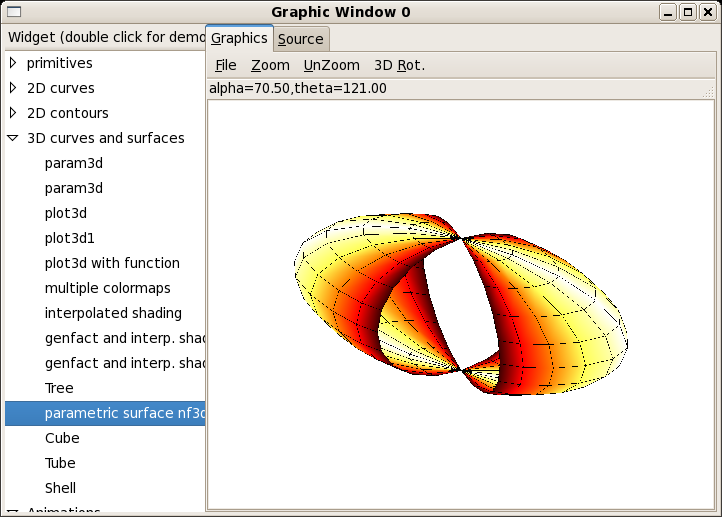
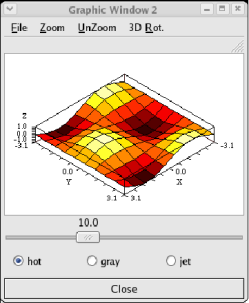
A Nsp graphic window embeded in a Gtk window with different widgets
Build a Gtk widget in Nsp
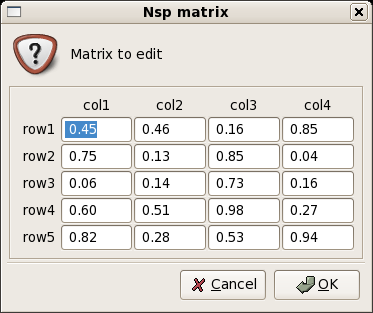
Nsp matrix edition in a Gtk Widget.
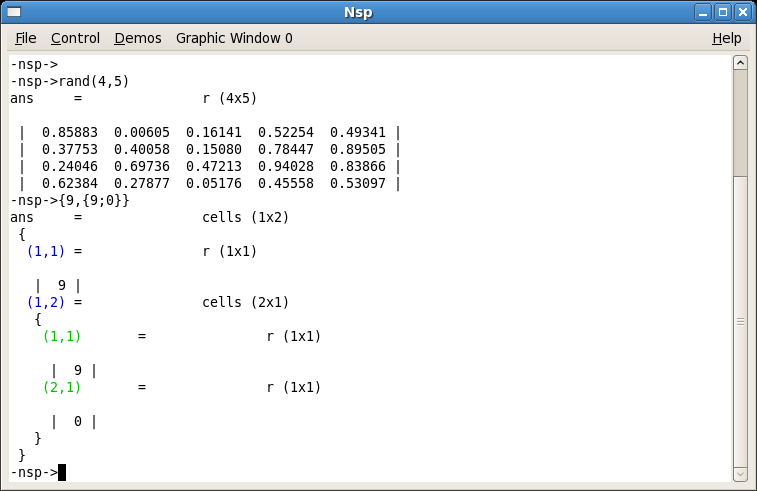
Nsp main window.
Nsp help window.
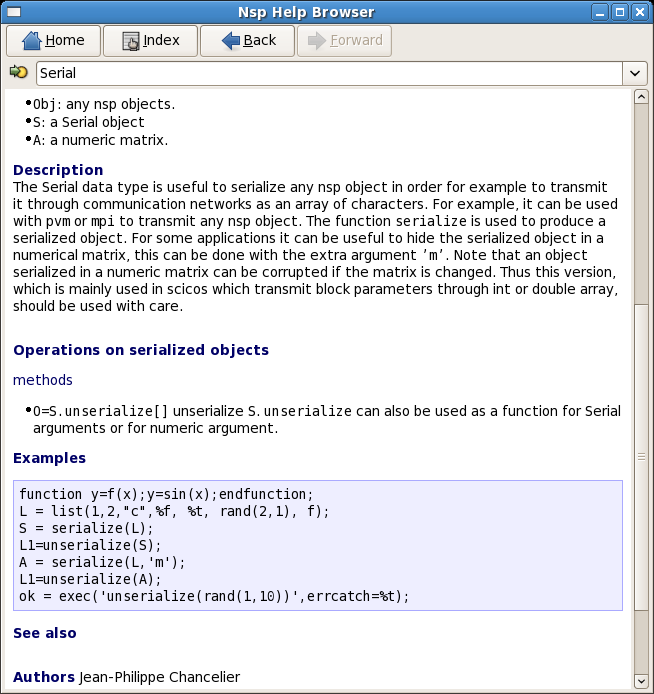
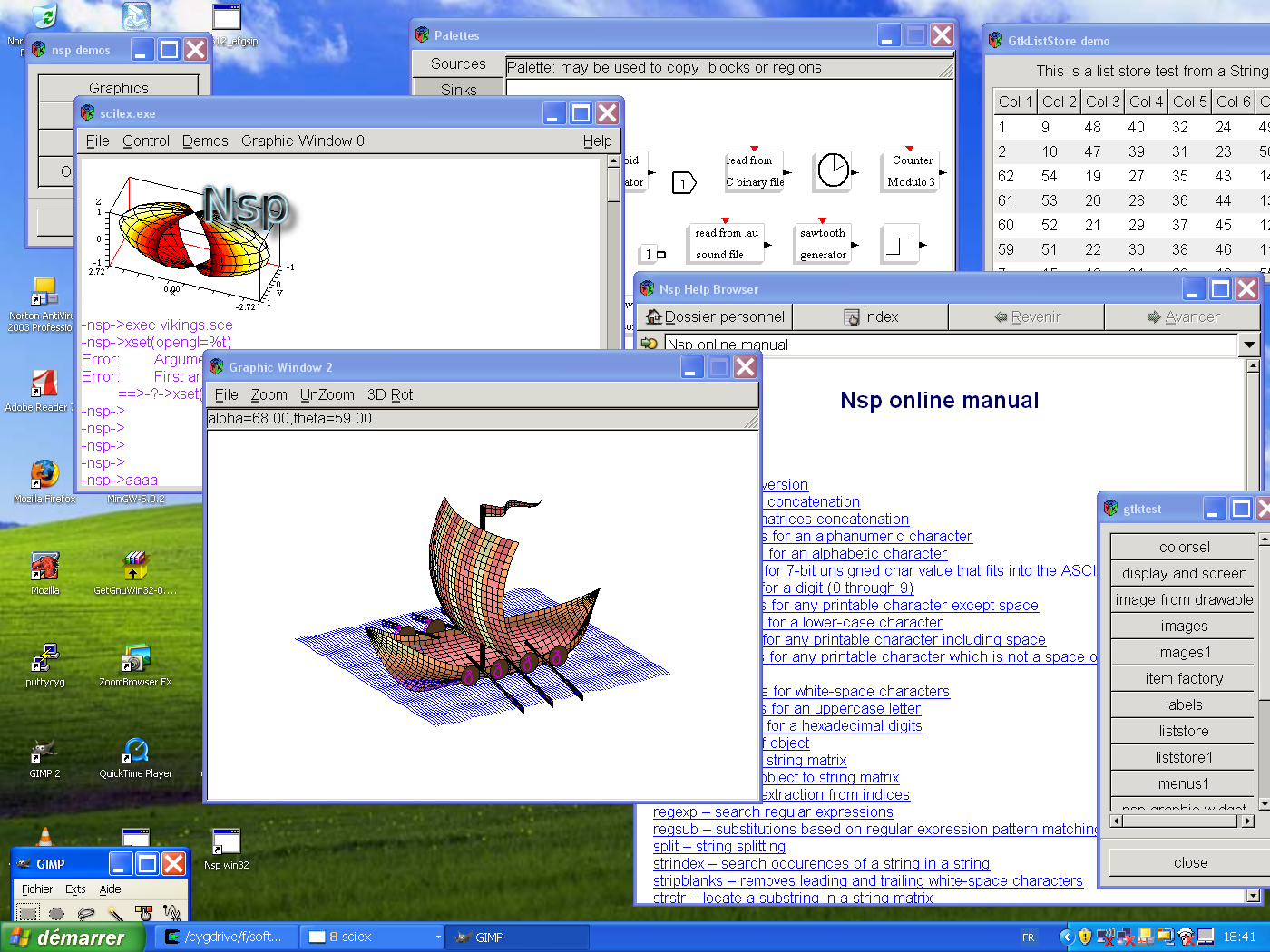
A screen snapshot on Windows.
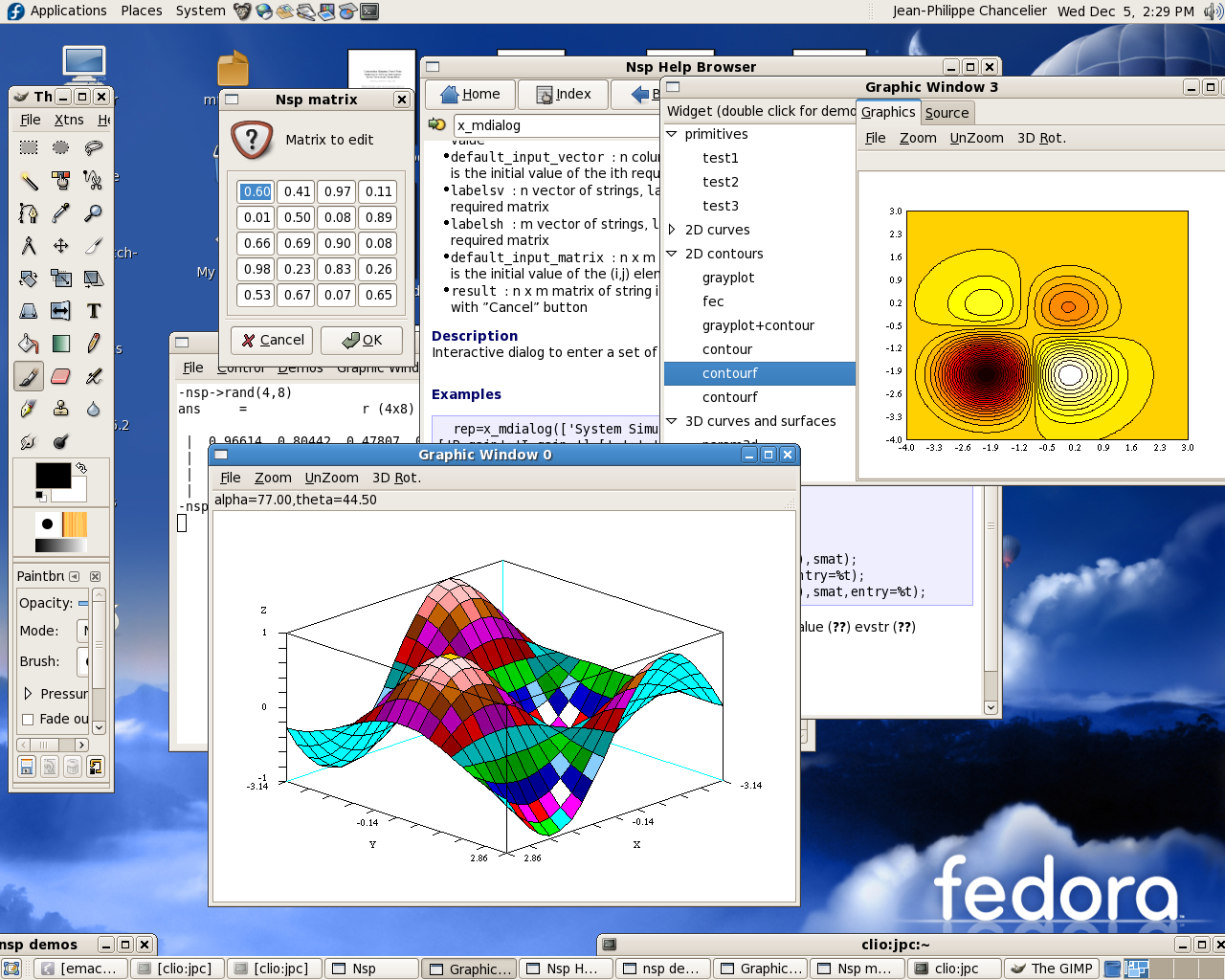
A screen snapshot on Linux.
Gtk and Nsp
Next Figure gives the screen shot of a gtk window which is built and activated from Nsp.
The graphic window is composed of a main window, a standard nsp graphic window (which is itself a set of widgets) an adjustment widget, three radio buttons and a close button. When the adjustment button is moved the graph has to be recomputed and redisplayed which a new grid size. When a radio button is changed then the graph has to be redrawn with a changed colormap.
Gtk widget can be created and assembled in nsp in a similar way as if
the code was written in C. i.e the sequence of function call (or method
call is very similar). Note that at nsp level we use an object oriented way
to call Gtk functions. For example, a call to
void gtk_window_set_title(GtkWindow *window,const gchar *title)
is replaced in Nsp by calling the method set_title on a GtkWindow
object. All the Gtk widgets can be used at nsp level.
For example a GtkWindow widgets is created by calling
gtkwindow_new().
The best way to rapidly write nsp gtk application is to start by
running the gtk demos and use their associated code as a guide and
use a gtk on line help manual to get real precise informations
on each function. For example to get more information on
a method call like scale.set_size_request[150,-1] you can
search the string set_size_request in Gtk help pages (through devhelp)
to obtain a reference to gtk_widget_set_size_request ().
set_size_request is a method of the class GtkWidget and
since a Gtkhscale inherits from GtkWidget this method
can be used on the argument scale
Note also that a set of predefined gtk constants are accessible at
nsp level through predefined hash tables. Thus prefixing a predefined name by GTK.
will give its value.
The last important point is that handlers associated to signals can be given by nsp functions.
If the adjustment is moved on the described application, then a call to
demo_dyn_graph_value_changed
is performed. And when the handler is called, it is
called with appropriate arguments. The handler was connected with the command
1
2
 adjustment.connect[ "value_changed",
                    demo_dyn_graph_value_changed, list(id_win,scale,win)];
Thus, when called the argument widget will be set to the GTkAdjustement widget which was
changed and args will be set to the list list(id_win,scale,win).
Thus when called, handlers receive specific informations through arguments (here a
widget and a list, the list being composed of an integer, a GtkHscale widget and a GtkWindow widget).
More than one instance of the same application can coexists, since handlers when called knows though their arguments which widgets and data they own.
Gtk objects for example a GtkWindow are objects with a by reference semantic and it is possible
to store data in each Gtk object through the use of methods get_data and set_data.
It is therefore possible to share data between widgets using this mechanism. For example
the grid size is store in the main GtkWindow of the application with key hscale.
When it is changed by calling demo_dyn_graph_value_changed the field hscale of
the GtkWindow is updated (See args(3).set_data[hscale=args(2).get_value[]]) and this
values will also be accessible in other handlers since the GtkWindow is added as argument
to all handlers and the GtkWindow arguments are all references to the same real GtkWindow object.
It is then possible to share data between independent functions without using global variables.
Note also that when handlers are connected to a signal, in fact the handler function is copied. Thus, it is possible to use local functions as handlers.
- The main function
1
2
3
4
5
6
7
8
9
10
11
12
13
14
15
16
17
18
19
20
21
22
23
24
25
26
27
28
29
30
31
32
33
34
35
36
37
38
39
40
41
42
43
44
45
46
47
48
49
50
51
52
53
54
55
56
57
58
59
60
61
62
63
64
65
66
67
68
69
70
71
function demo_dyn_graph()
  win = gtkwindow_new()
  win.connect["delete_event", demo_delete];
  win.set_title["range_controls"];
  box1 = gtkvbox_new(homogeneous=%f,spacing=0)
  win.add[box1]
  box1.show[]
  id_win=nsp_graphic_new(win,box1,dim=[300,200]);
  //adjustment = GtkAdjustment(0,expand= 0,fill= 101,padding= 0.1, 1, 1)
  initial_v=10;
  adjustment =gtkadjustment_new(value=initial_v,lower=5,upper=21,step_incr=1,...
				page_incr=1,page_size=1)
  win.set_data[hscale=initial_v];
  scale = gtkhscale_new(adjustment=adjustment)
  scale.set_size_request[150,-1]
  scale.set_update_policy[GTK.UPDATE_DELAYED];
  scale.set_digits[1];
  scale.set_draw_value[%t];
  box1.pack_start[scale,expand=%f,fill=%f,padding=0]
  scale.show[]
  adjustment.connect[ "value_changed", demo_dyn_graph_value_changed,...
		      list(id_win,scale,win)];

  box2=gtkvbox_new(homogeneous=%f,spacing=0);
  box1.pack_start[box2,expand=%f,fill=%t,padding=0];
  box1=box2;

  // hbox for radio buttons
  // ----------------------
  box2 = gtkhbox_new(homogeneous=%f,spacing=0)
  box2.set_border_width[10]
  box1.pack_start[box2,expand=%f,fill=%f,padding=0];
  box2.show[];
  // radio buttons
  // ----------------------
  // The "toggled" signal
  button1=gtkradiobutton_new(label="hot")
  box2.pack_start[button1]
  button1.show[]
  // button1 i sthe default selection.
  button1.set_active[%t];
  win.set_data[colormap_id = 1];
  //
  button1.connect["toggled",demo_dyn_graph_toggled, list(id_win,button1,1,win)];
  //
  button=gtkradiobutton_new(group=button1,label= "gray");
  box2.pack_start[button];
  button.show[];
  button.connect[ "toggled",demo_dyn_graph_toggled,
		   list(id_win,button,2,win)];
  //
  button=gtkradiobutton_new(group=button1,label= "jet");
  box2.pack_start[button];
  button.show[];
  button.connect[ "toggled",demo_dyn_graph_toggled,
		   list(id_win,button,3,win)];

  separator = gtkhseparator_new ();
  box1.pack_start[separator];
  separator.show[];
  //
  button = gtkbutton_new(label="Close")
  button.connect["clicked", button_destroy_win,list(win)];
  box1.pack_start[button,expand=%f,fill=%f,padding=0]
  button.set_flags[GTK.CAN_DEFAULT]
  button.grab_default[]
  button.show[]
  win.show_all[]
  demo_dyn_graph_draw(id_win,10,1);
  //gtk_main()
endfunction
- Handler activated when adjustment is moved
1
2
3
4
5
function demo_dyn_graph_value_changed(widget,args)
// args=list(win_id, gtkhscale,win);
  args(3).set_data[hscale=args(2).get_value[]];
  demo_dyn_graph_draw(args(1),args(2).get_value[],args(3).get_data['colormap_id']);
endfunction
- Handler activated when a radio button is pressed
1
2
3
4
5
6
7
8
function demo_dyn_graph_toggled(widget,args)
  // args(2) is the gtkhscale
  if args(2).get_active[]==%t then
   args(4).set_data[colormap_id =  args(3)];
  end
  value=args(4).get_data['hscale'];
  demo_dyn_graph_draw(args(1),value,args(3));
endfunction
- Update graphics with new parameters
1
2
3
4
5
6
7
8
9
10
11
12
function demo_dyn_graph_draw(id,value,colormap_id)
  id1=xget('window');
  if id1<>id then xset('window',id);end
  xclear();
  select colormap_id
   case 1 then xset('colormap',hotcolormap(64));
   case 2 then xset('colormap',graycolormap(64));
   case 3 then xset('colormap',jetcolormap(64));
  end
  t=linspace(-%pi,%pi,value);plot3d1(t,t,sin(t)'*cos(t));
  if id1<>id then xset('window',id1);end
endfunction
ScicosLab
ScicosLab (formerly ScilabGtk) is a free scientific computing environment based on Scilab 4 (“Legacy Scilab”). I developed it within the Scilab Group (INRIA Metalau and ENPC CERMICS). It came with a GTK interface, and its main purpose was to distribute the latest versions of Scicos, a block-diagram modeler and simulator for hybrid dynamical systems. Binaries were provided for Linux, macOS and Windows. ScicosLab 4.4 is the reference software of the book Modeling and Simulation in Scilab/Scicos with ScicosLab 4.4 (S. L. Campbell, J.-P. Chancelier, R. Nikoukhah, Springer, 2010).
ScicosLab Home Page. ScicosLab is the new name of ScilabGtk.
- http://www.scilabgtk.org
- Code examples from the book: Modeling and Simulation in Scilab/Scicos
- Scilab cvs and toolboxes binaries
- Scilab at Enpc
- Journée Scilab 15 Octobre 2003